

The Chrome extension, at a glance
What the Blowhorn side panel is for, how its layout is arranged, and links to install, permissions, and troubleshooting.
The Blowhorn extension is how Blowhorn works in your Google Chrome. It opens as a side panel on the right of the window. It shows what Blowhorn is doing in this Chrome and gives you the controls to pause, stop, or take over. It does not add anything to the pages themselves.
Install and setup are in Install the Chrome extension. What the extension may do is in Chrome extension permissions. If the panel cannot reach the app, see Fix the Chrome extension connection.
At a glance
Click the Blowhorn button in Chrome's toolbar to open the side panel. If you do not see the button, open the Extensions menu (the puzzle piece) and pin Blowhorn.
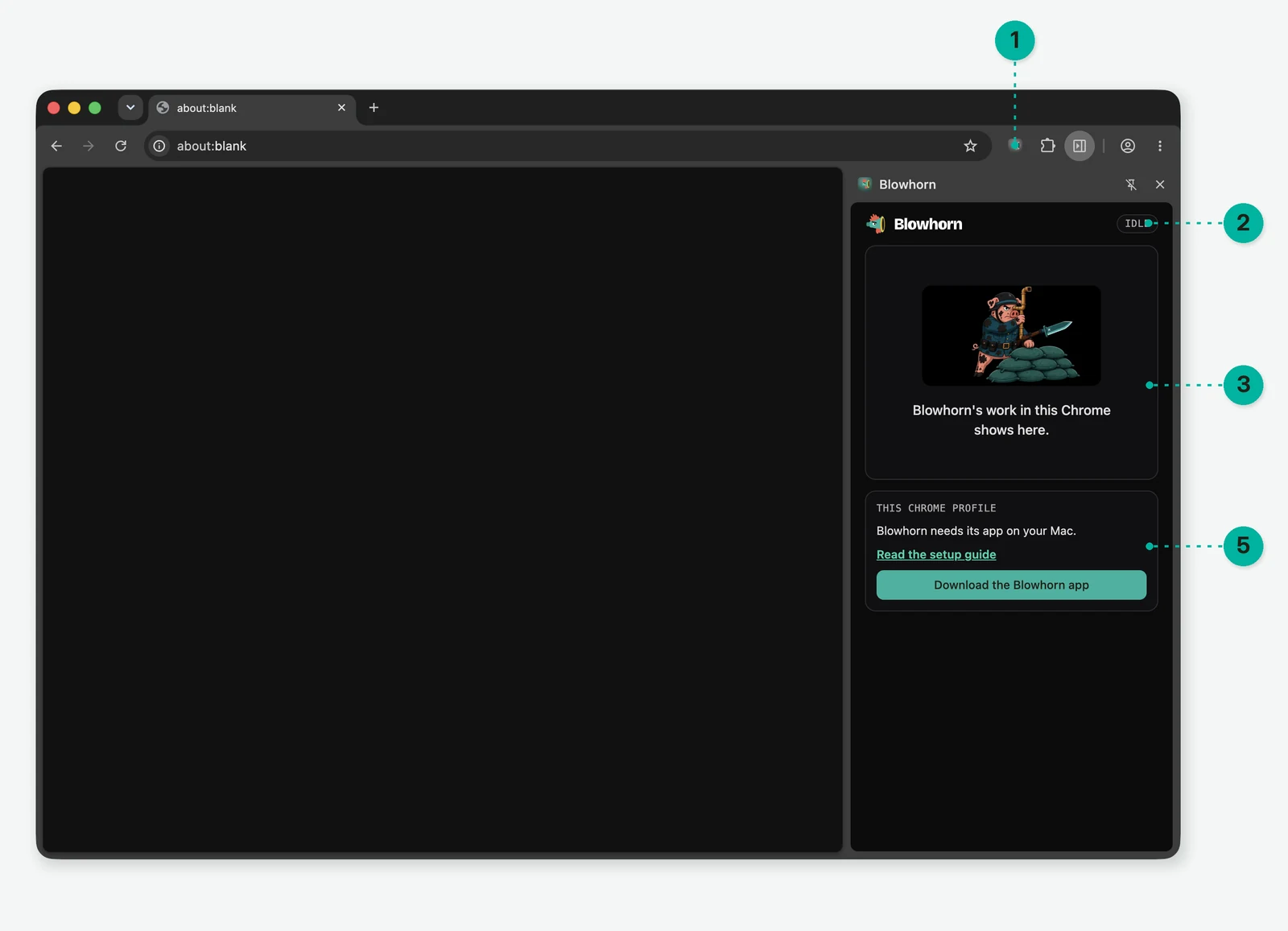
- 1. The toolbar button. Opens and closes the side panel. When Blowhorn needs you, the button shows !.
- 2. The status pill. Idle when nothing is running. During a run it reads Working, Paused, Needs you, You have control, Stopped, or Ended.
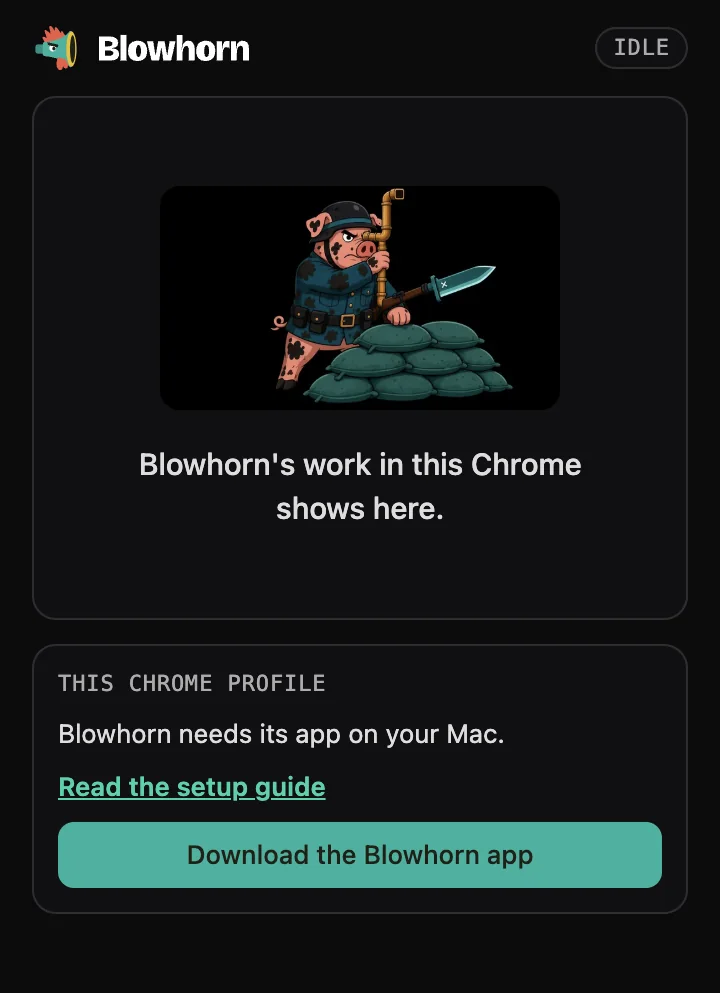
- 3. The run area. When Blowhorn is idle, it says "Blowhorn's work in this Chrome shows here." During a run it lists the task, the site, and each step. It never shows what was typed.
- 4. Run controls. These appear during a run, so they are not in this figure: Pause and Resume, Stop, Take over and Give back, and Show me. How to use them is in Watch, pause or take over a run in Chrome.
- 5. This Chrome profile. Whether this Chrome profile is linked and ready. Here it reads "Blowhorn needs its app on your Mac," with a setup guide link and Download the Blowhorn app. When the app is connected, this section tells you whether the profile is ready, or asks you to map it.
The toolbar button

The side panel when idle
Related
- Install the Chrome extension - add it in each Chrome profile you post from.
- Watch, pause or take over a run in Chrome - the controls that appear during a run.
- Chrome extension permissions - what the extension may do.
- Fix the Chrome extension connection - when the panel cannot reach the app.
- Map Blowhorn profiles to Chrome profiles - link a Chrome profile in the app.
- The Blowhorn app, screen by screen - the desktop app that the extension talks to.
- Chrome reference - launch modes and the extension default.